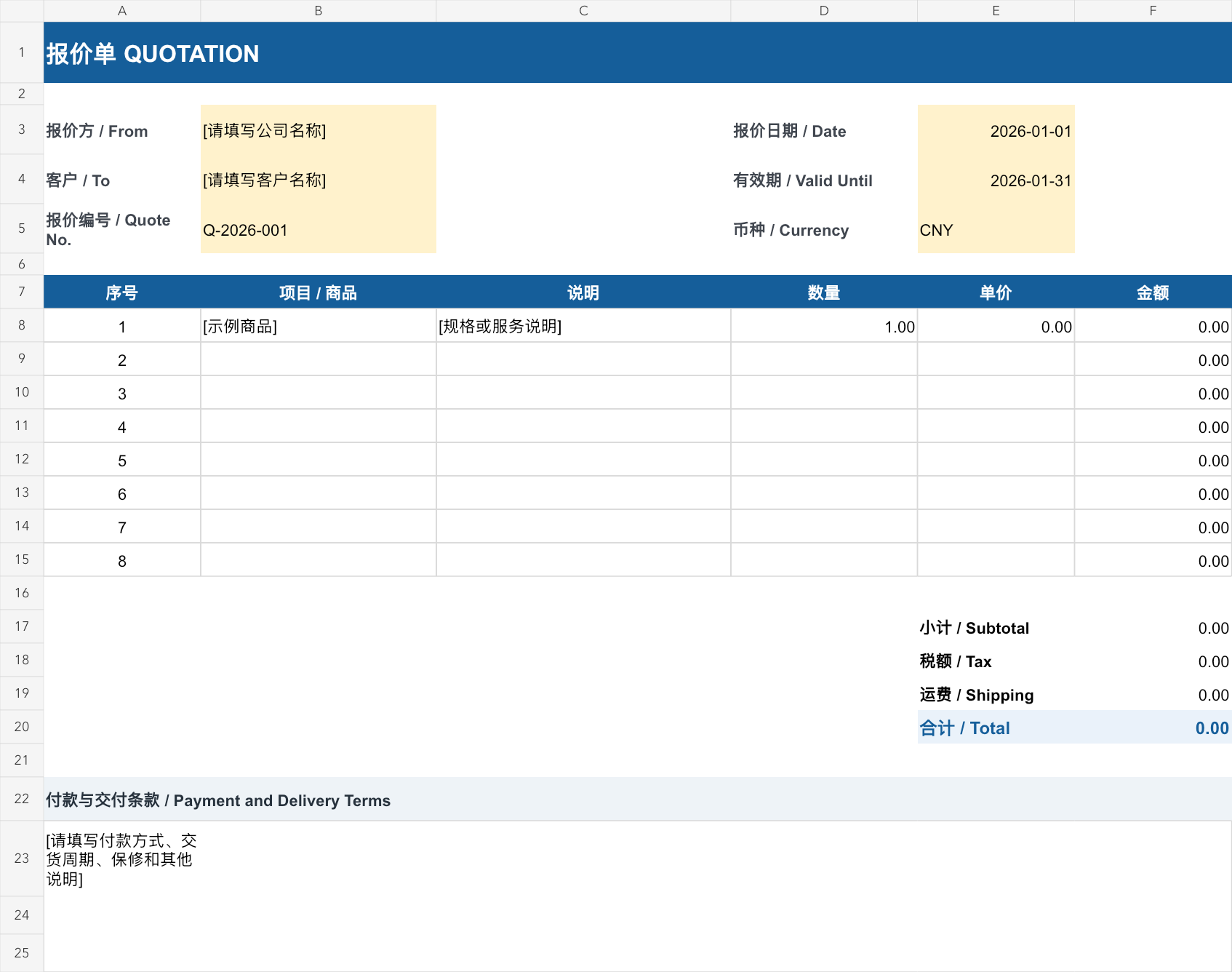
Automatic Excel quotation template preview
XLSX · No account required

Automatic Excel quotation template

Download this free bilingual Excel quotation template (.xlsx), with no account required. Enter quantities and unit prices to calculate line amounts and the subtotal. Fill in tax and shipping amounts manually; the total adds these to the subtotal. Yellow cells identify information to replace. Check the currency, dates, and amounts before sending.

Best for: Suitable for product sales, equipment suppliers, wholesalers, repair services, and independent professionals.

Free download XLSX

Template highlights

  • Automatic quantity and unit-price calculations
  • Subtotal and total formulas; manual tax and shipping
  • Bilingual field labels
  • Editable currency and terms

Included fields

  • Seller and customer information
  • Quote number, date, and validity
  • Product or service line items
  • Payment and delivery terms

How to use it

  1. Download the XLSX and replace the seller, customer, quote reference, dates, and currency.
  2. Enter items, quantities, and unit prices; keep the amount and subtotal formulas intact.
  3. Enter tax and shipping as amounts. The template does not calculate tax from a rate.
  4. Review the total, payment and delivery terms, and print area, then export to PDF.

Common use cases

  • Equipment and component sales
  • Wholesale product quotes
  • Repair and installation services

Check before sending

  • Confirm currency, applicable tax amount, and quote validity
  • Check that every quantity and unit price is numeric
  • Confirm manually entered shipping and tax are included in the final total

Template FAQ

Do I need to set up the formulas?

No. Line amounts and total formulas are already included.

Can I change the currency?

Yes. Update the currency label and number format, and confirm the required decimal precision.

More free quotation templates

Editable Word quotation template→Minimal blue bilingual PDF quotation→Classic monochrome PDF quotation→